Same engine. Two ways to control it.
The trading logic is identical in both plans — all 4 live strategies, the news shield, the daily loss lock. The only difference is whether you can reach it from outside the machine it runs on.
Desktop
The full trading engine, running on your own Windows machine.
Best forYou already leave a PC on, or you have your own VPS, and you are happy checking the bot on that machine.
- The complete trading engine — identical to Mobile + PC
- All 4 live strategies, 34 tested
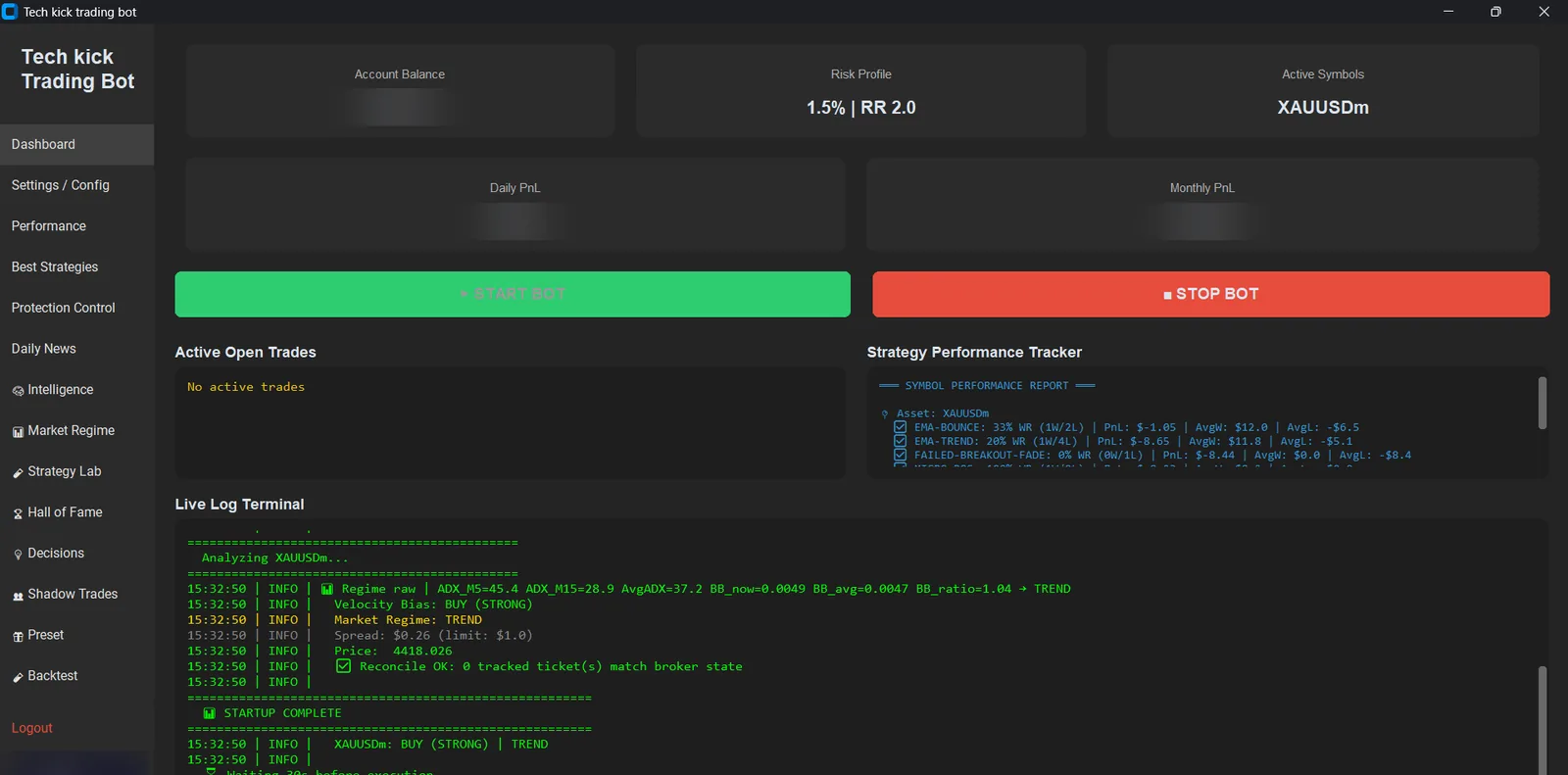
- Desktop dashboard with live P&L, open trades and decision log
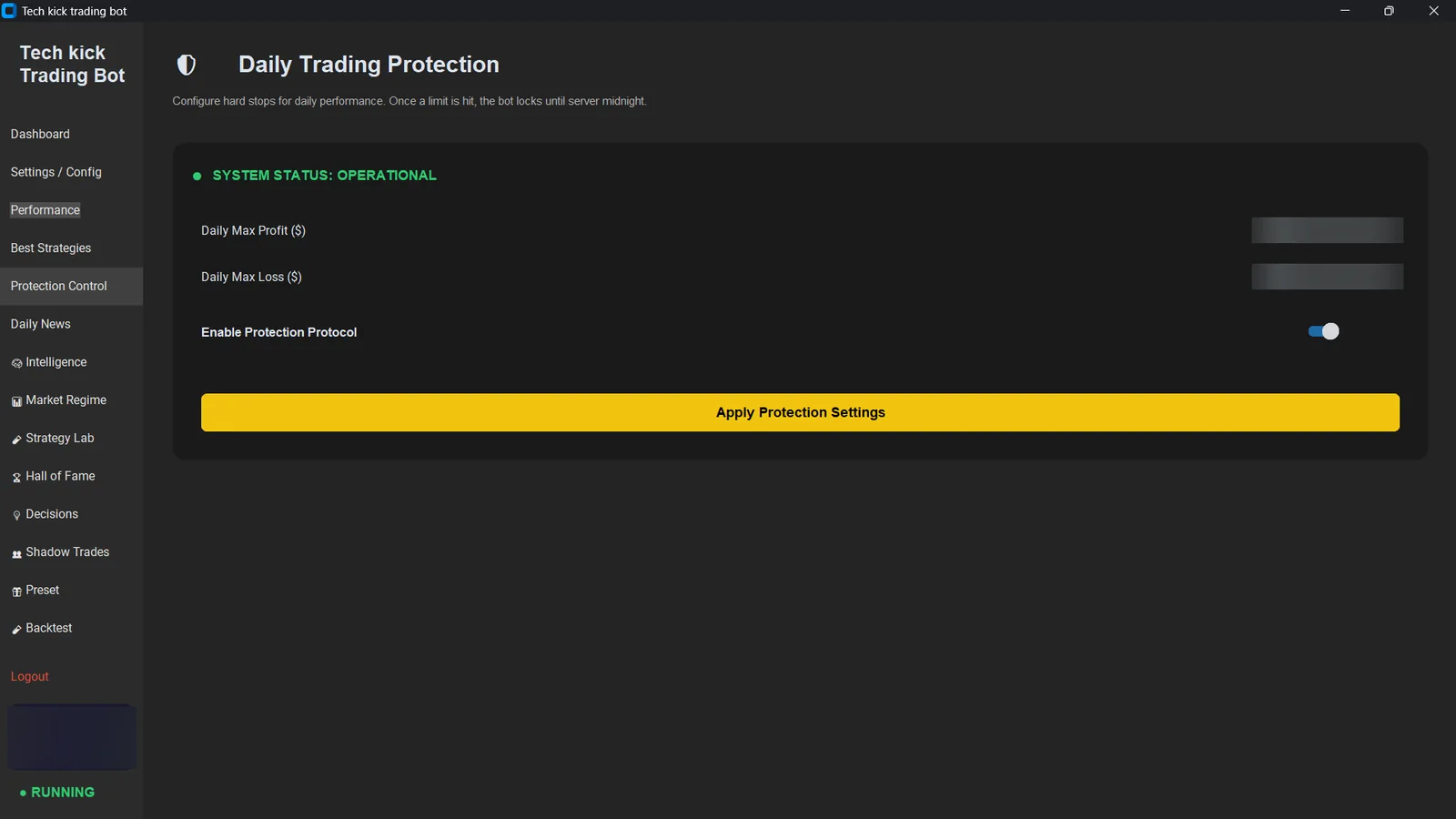
- News shield, spread guard, daily loss lockdown
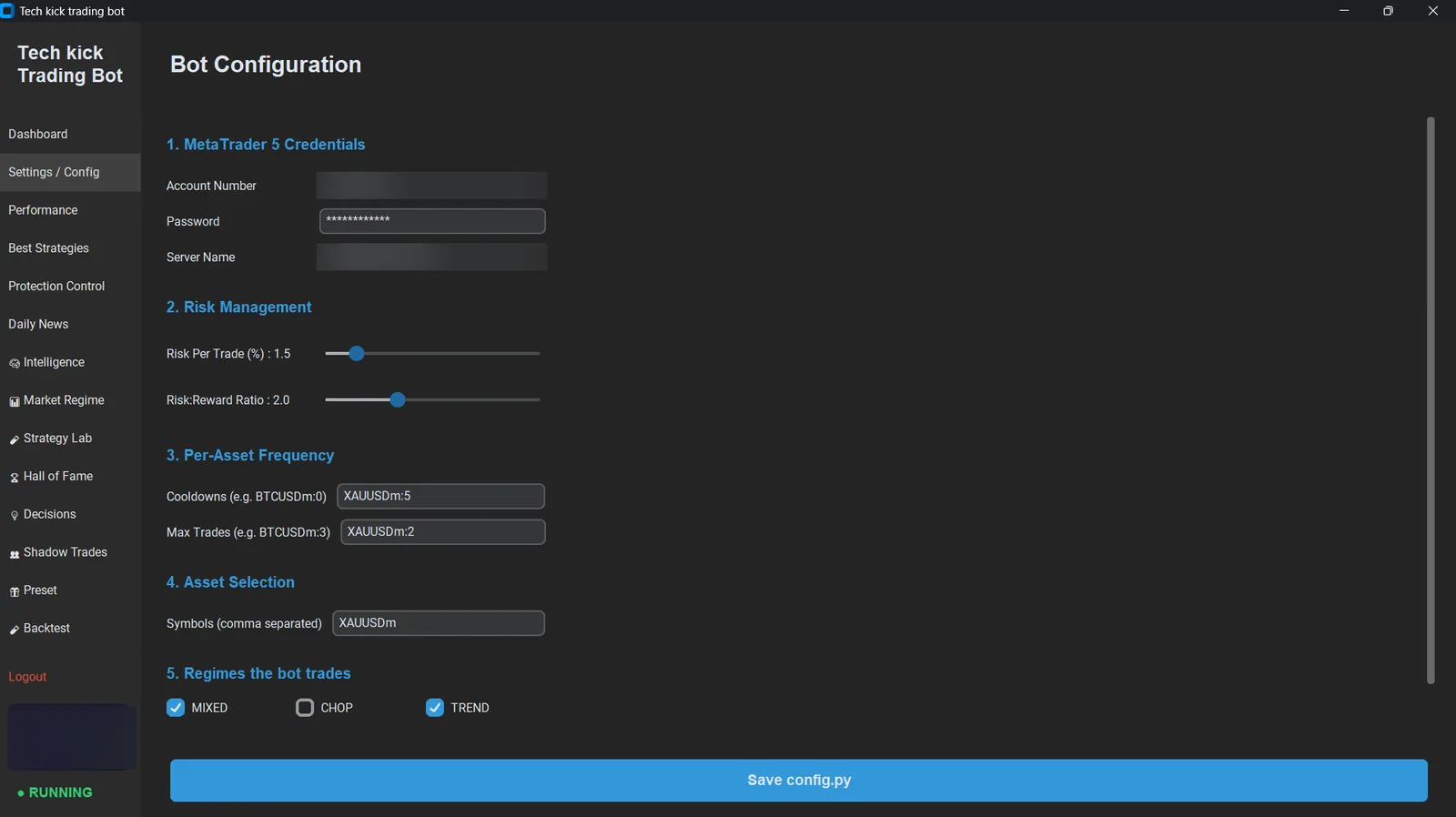
- Full risk configuration
- Runs on your Windows 10/11 PC, or your own VPS
- Hardware-locked licence, one machine
- VPS hosting — you supply the machine
- 24/7 uptime unless you keep your PC running
- Web dashboard or phone access
30-day guarantee if it does not work
Mobile + PC
We host it on a Windows VPS, so it keeps trading with everything of yours switched off.
Best forYou want it trading around the clock without leaving a computer on, and you want to check it from your phone.
- Everything in Desktop
- Windows VPS included — no setup, no separate hosting bill
- Trades 24/7 through the whole session, laptop closed or phone in your pocket
- Web dashboard — open it on a phone, tablet or any browser
- Live P&L, equity and open positions from anywhere
- Full trade history and per-strategy win rates
- Start, stop and adjust risk remotely
- Backtest and strategy lab
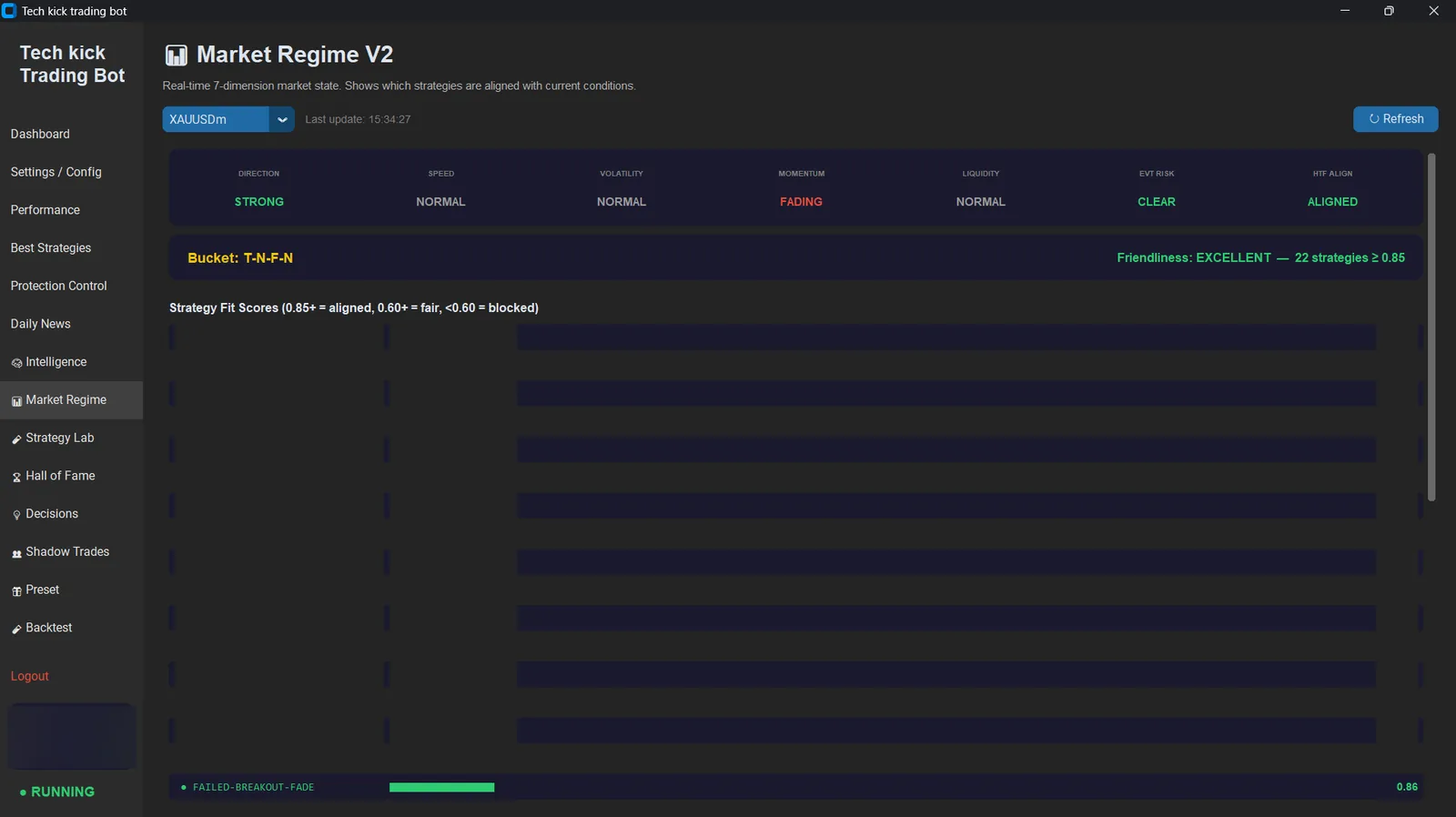
- Market regime, news calendar and protection status
- Shadow trades and the decision journal
30-day guarantee if it does not work
No card? Pay with JazzCash, EasyPaisa or bank transfer
Local payment options if the checkout above does not work for you.
▾
No card? Pay with JazzCash, EasyPaisa or bank transfer
Local payment options if the checkout above does not work for you.
- Mobile number
- Account title
- Muhammad Haider Ali
- Mobile number
- Account title
- Muhammad Haider Ali
- Account number
- Account title
- Muhammad Haider Ali
After you pay
- 1Create your account on the pricing page first, so we know which account to upgrade.
- 2Transfer the amount to any one of the accounts above.
- 3Take a screenshot of the confirmation.
- 4Upload the screenshot using the form below, with the email address you signed up with — or send it to us on Telegram or email blackkick74@gmail.com.
- 5Your plan is switched to paid once the transfer is confirmed — usually within a few hours during business hours.
Only ever send payment to the details shown on this page at techkick.me. We will never message you asking for payment to a different account. If anything looks off, email blackkick74@gmail.com before sending anything.
The bot never runs on your phone — on Mobile + PC it runs on our VPS instead
MetaTrader 5 only automates through a Windows application that has to stay open and logged in. That is a MetaTrader limitation, not ours, and it applies to every MT5 bot on the market — none of them run on iOS or Android. So a Windows machine has to be running somewhere. On Desktop that machine is your own PC, which means the bot trades while your PC is on and stops when it sleeps. On Mobile + PC we give you a Windows VPS and run it there, so it keeps trading through the entire session with all of your own devices switched off, and your phone becomes the window you watch it through rather than the thing doing the trading.
What each plan actually looks like
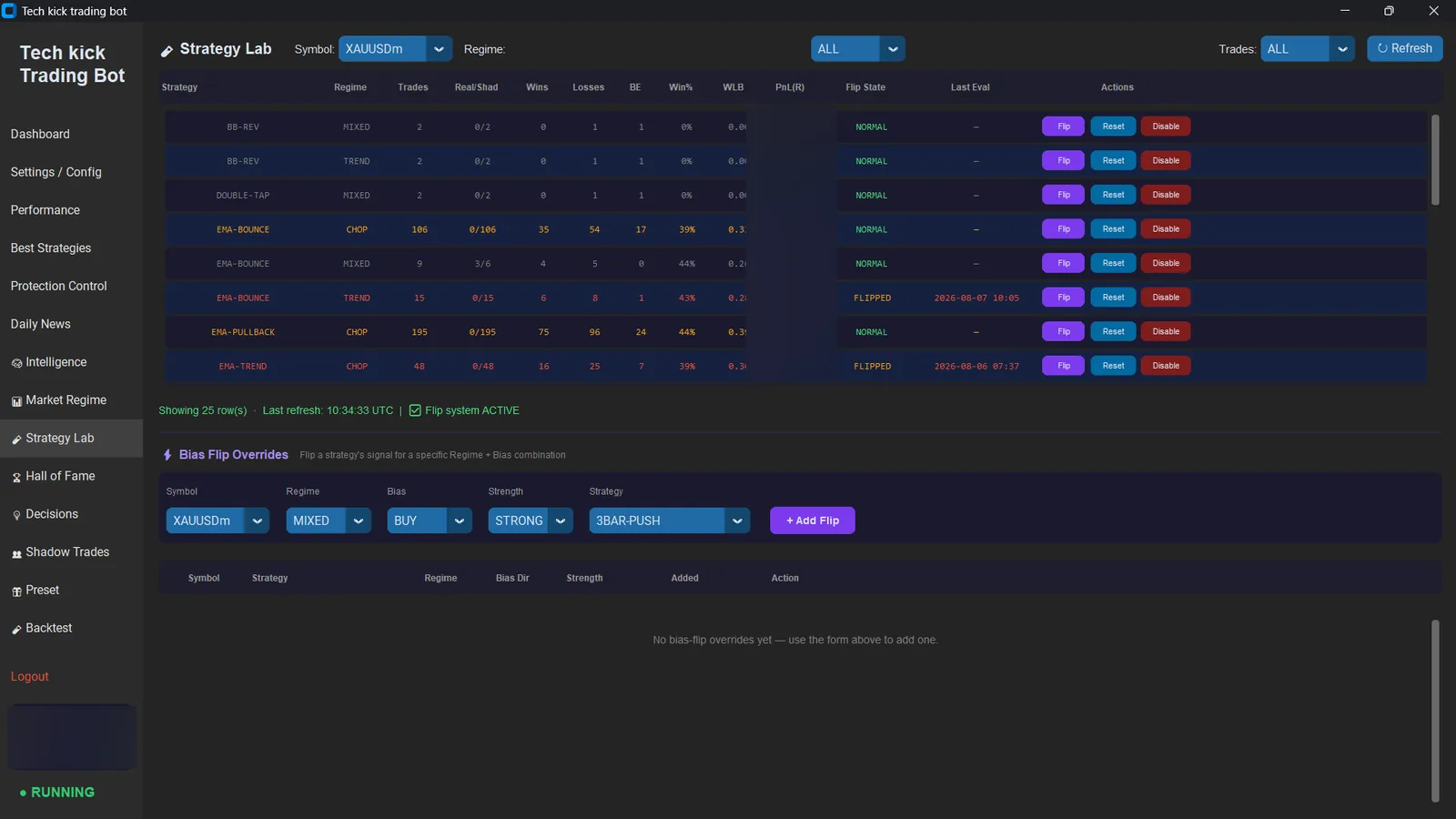
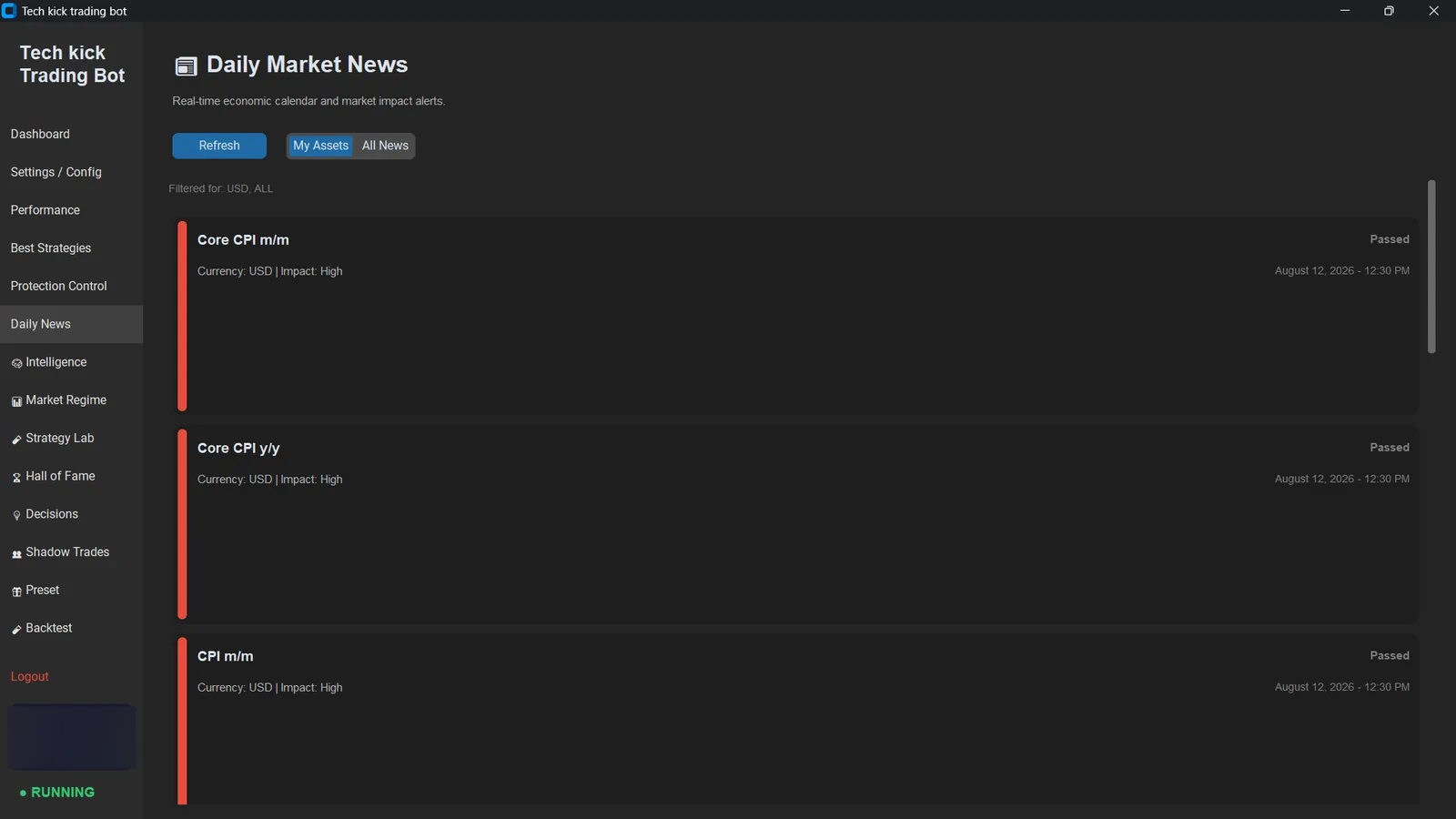
Both plans — the Windows application
The full bot, installed on your machine. Every plan includes this. See all ten screens.
Mobile + PC only — the web dashboard
Monitor and control the bot from a browser while it runs on the VPS we provide. This is what the extra $29 buys.
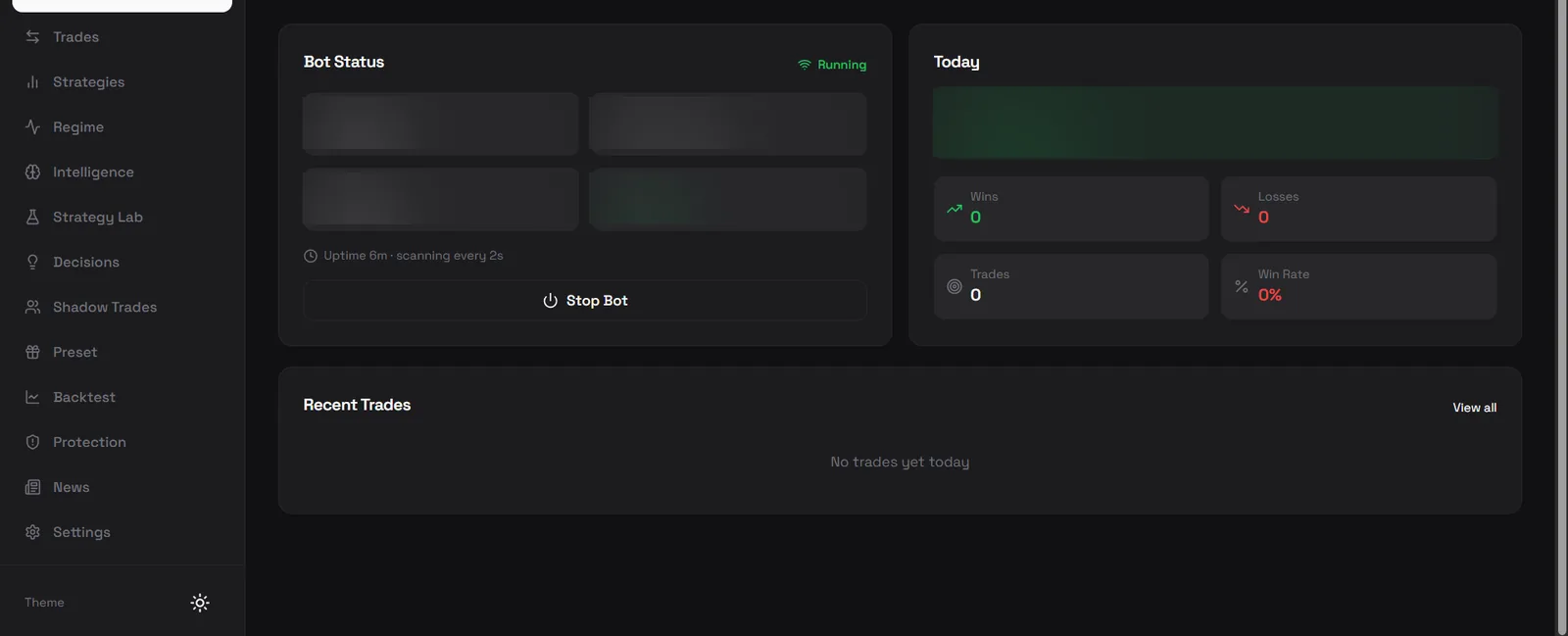
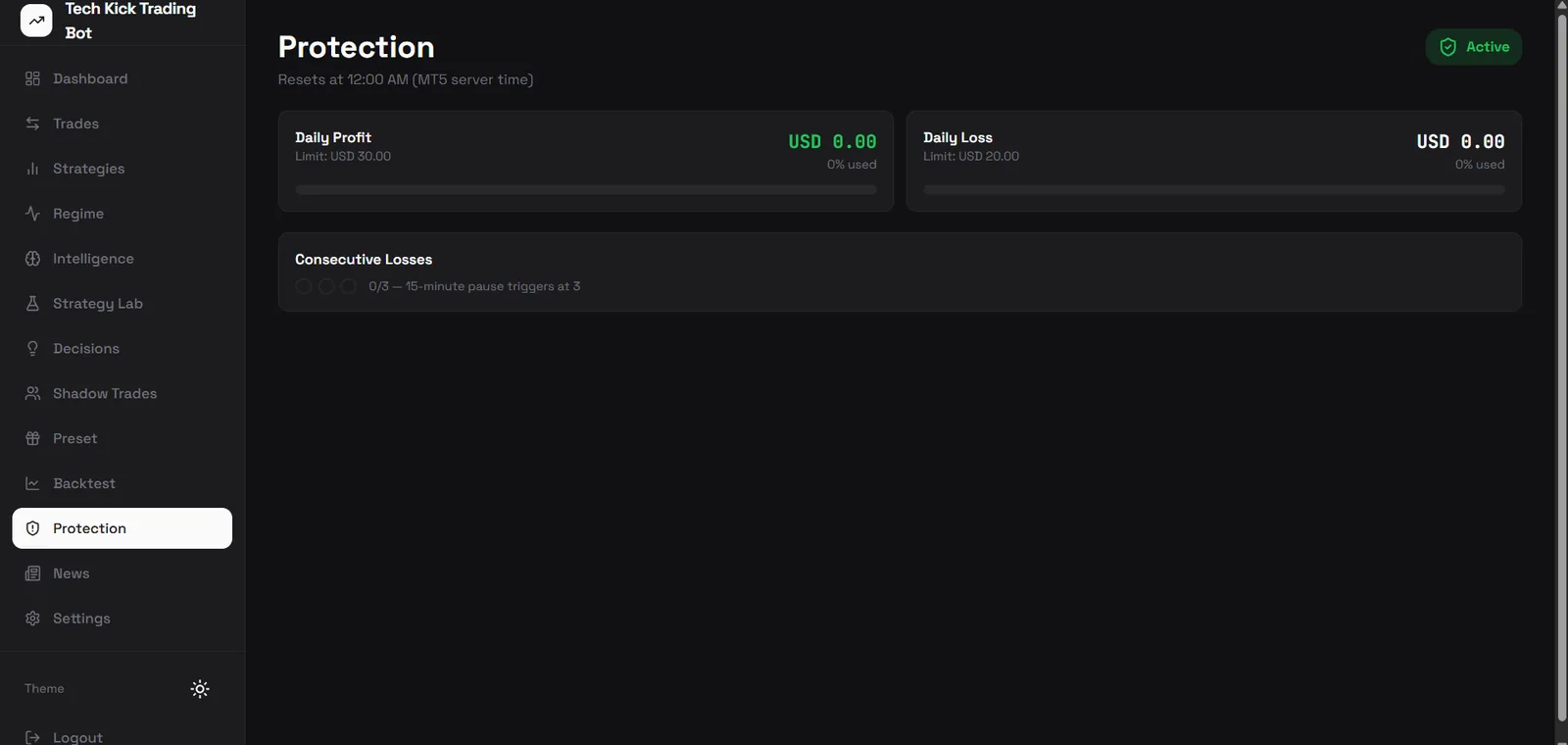
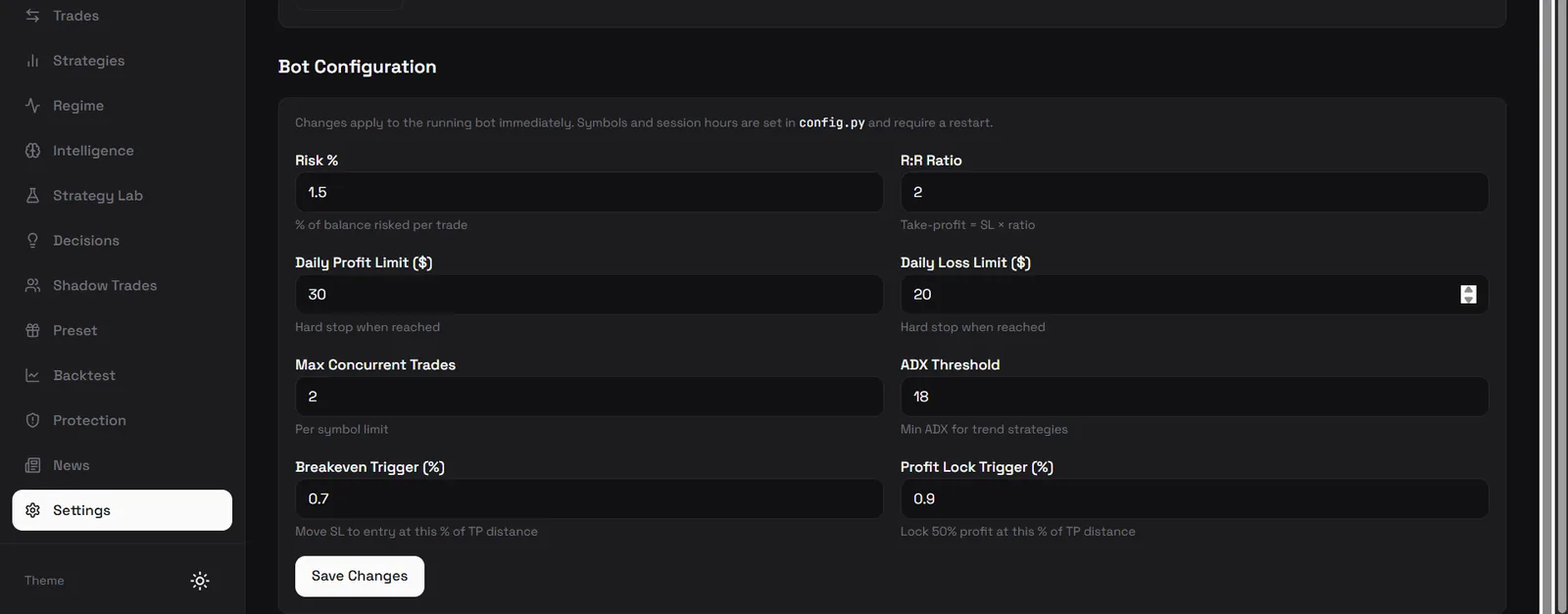
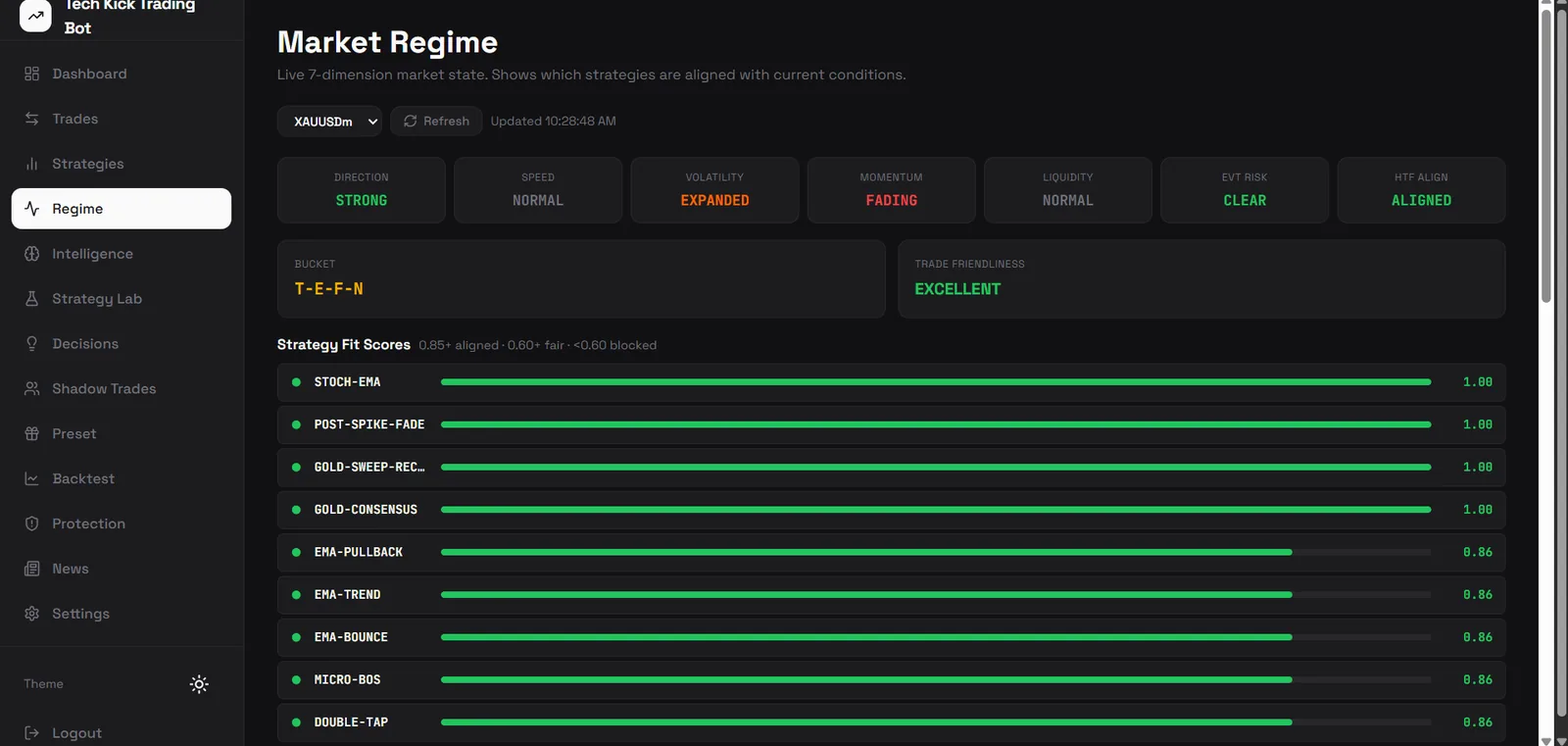
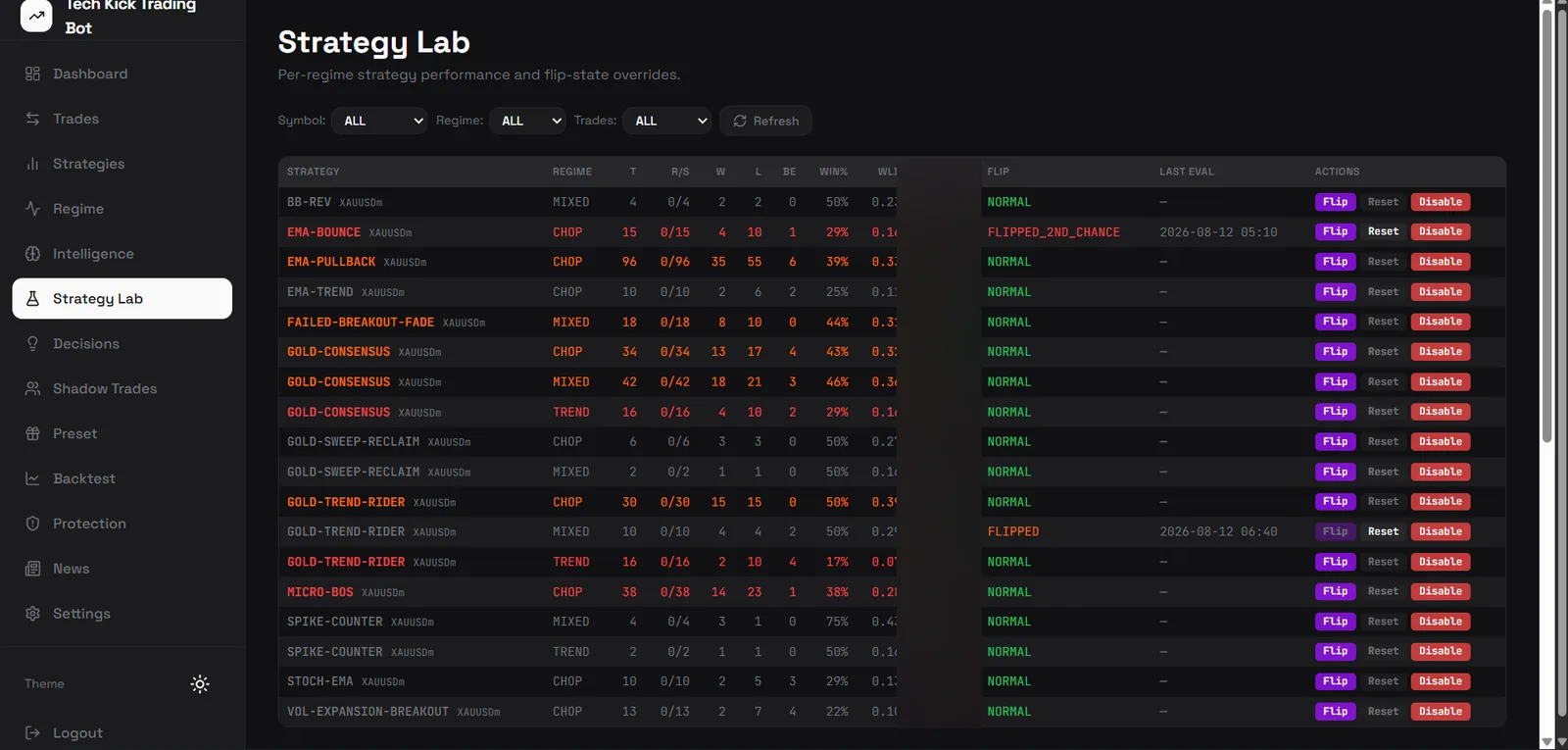
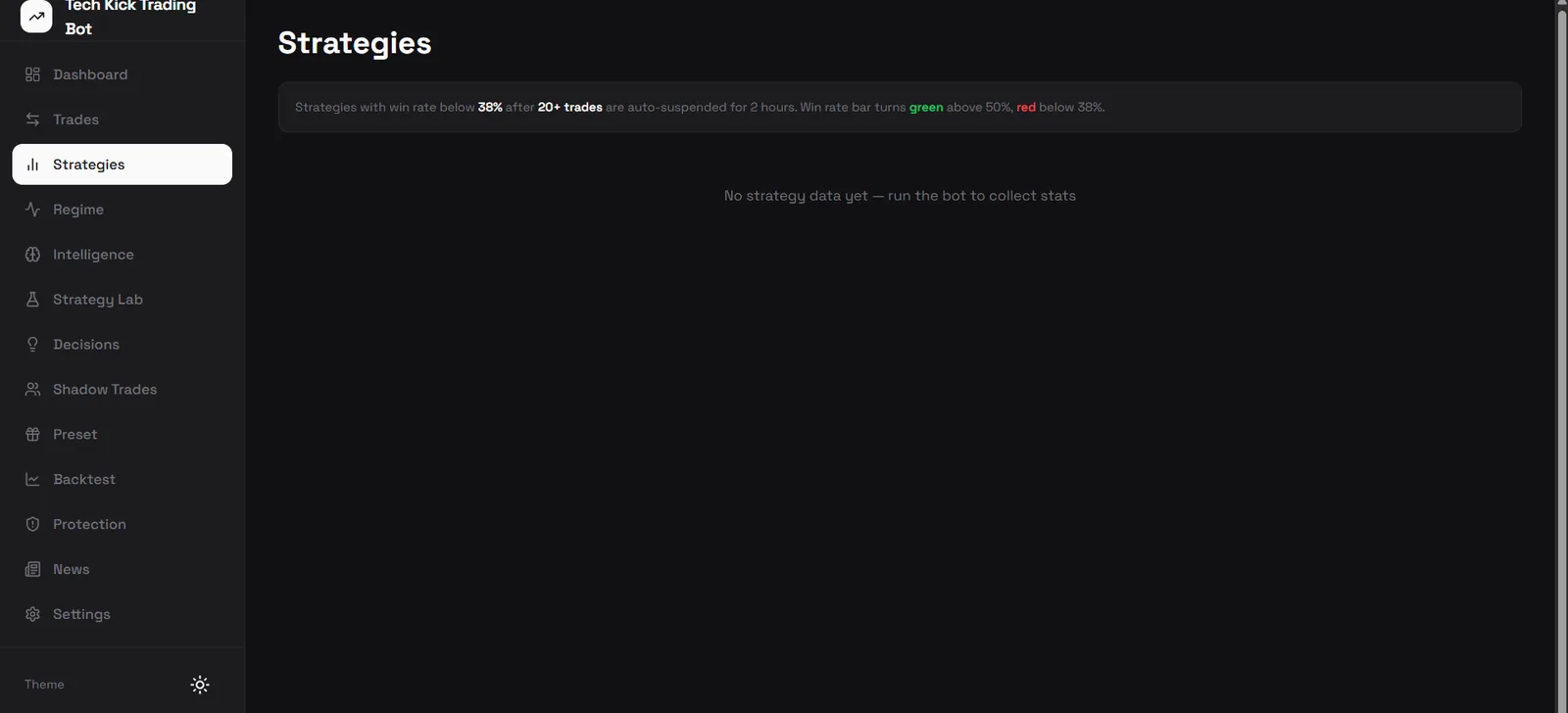
Account numbers, balances and profit figures are blurred in every screenshot. Account number plus server name is most of an MT5 login, and a screenshot of one account over a handful of trades is not evidence of anything — the validated backtest figures and the full strategy record are published separately, with their sample sizes attached.
Side by side
| Feature | Desktop $20/mo | Mobile + PC $49/mo |
|---|---|---|
| Trading engine and all live strategies | ✓ | ✓ |
| News shield, spread guard, daily loss lock | ✓ | ✓ |
| Full risk configuration | ✓ | ✓ |
| Desktop dashboard and decision log | ✓ | ✓ |
| Windows VPS included | You supply it | ✓ |
| Trades 24/7 with your devices off | — | ✓ |
| Keeps running when your laptop sleeps | — | ✓ |
| Web dashboard in any browser | — | ✓ |
| Check P&L and trades from your phone | — | ✓ |
| Start, stop and adjust risk remotely | — | ✓ |
| Backtest and strategy lab | — | ✓ |
| Shadow trades and decision journal | — | ✓ |
| 30-day guarantee if it does not work | ✓ | ✓ |
Questions before you buy
Does the Mobile + PC plan run the bot on my phone?
No, and no MT5 bot can — MetaTrader 5 only automates through a Windows application that has to stay open and logged in, so nothing runs on iOS or Android. On the Mobile + PC plan we give you a Windows VPS and run the bot there instead, so it trades 24/7 with every one of your own devices switched off. Your phone is how you watch it, start and stop it and check your P&L — not what does the trading.
Which plan should I choose?
Ask yourself one question: are you willing to leave a Windows PC switched on all session, every session? If yes, Desktop at $20 is the whole product — the trading engine is identical. If not, take Mobile + PC at $49: the VPS is included, so the bot keeps trading whether your laptop is closed or your phone is in your pocket, and you get the web dashboard, backtest and strategy lab on top. A Windows VPS on its own usually costs $10 to $20 a month, so the gap between the plans is smaller than it looks.
Can I upgrade later?
Yes. Start on Desktop and move to Mobile + PC whenever you want remote access — contact support and we will switch the plan over. Nothing about your setup or configuration changes.
How do I keep it trading when my laptop is closed?
Take the Mobile + PC plan — the Windows VPS is included and we run the bot on it, so it keeps trading around the clock with your laptop closed. On the Desktop plan the bot runs on your own machine, so trading stops whenever that machine sleeps or shuts down; if you want 24/7 on Desktop you have to supply and pay for your own VPS separately.
What exactly is the VPS you include?
A Windows virtual server that we set up and run the bot on for you, included in the Mobile + PC price. You do not rent it separately, configure it, or keep it patched — it is provisioned as part of your subscription and the bot runs on it continuously. If you would rather use your own VPS you can, on either plan.
Is there a refund if it is not for me?
Both plans carry a 30-day guarantee against the software not working — faults, incompatibility, or it not doing what we describe — and we would rather you spent the first week on a demo account than rushed into live trading. Contact support within 30 days for a full refund.
How much capital do I need in the trading account?
The bot runs from $100, but $700 is where percentage-based risk sizing starts working properly and $1,000 is where our backtested figures were measured. Below roughly $700 the broker's 0.01 minimum lot forces about 10% risk per trade instead of the 1.5% you configure. This is separate from the subscription price.
Related reading
- Do You Need a VPS to Run a Trading Bot?You need one if you want the bot to trade while your computer is off. An Expert Advisor …
- MT5 No Connection on VPSA VPS removes most uptime risk but not all of it. These are the causes of an overnight d…
- MT5 Invalid Price Error 10015Invalid price means the requested price is not one the broker will accept — wrong side, …
- Gold pip value calculator
- Forex VPS for MT4 and MT5: What You Actually NeedA VPS keeps MetaTrader running when your computer is not. What it solves, what it does n…
- Gold trading statistics